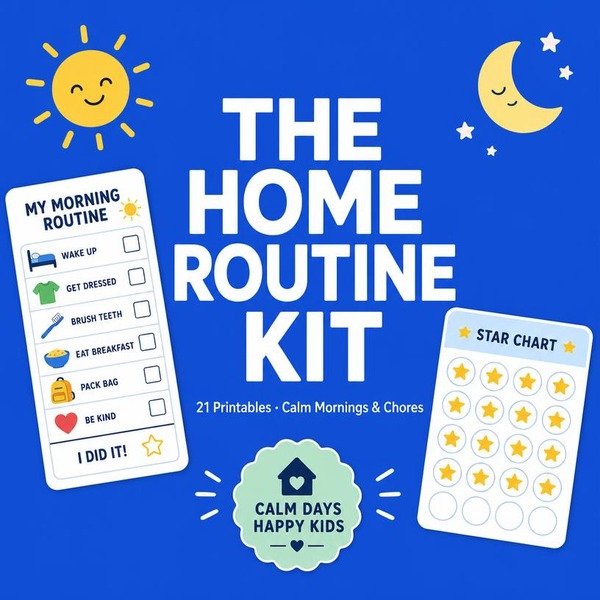
The Home Routine Kit: 10 Systems to End Daily Power Struggles
21 Ready-to-Print Templates for Calm Mornings, Consistent Chores, and Independent Kids
21 printable pages
You will transition from managing every minute of your child’s day to overseeing a self-sustaining system that builds independence and reduces household friction.
How to use this pack
- 01Print
A4 or US Letter, “Fit to page”, black & white is enough. Every sheet is designed low-ink — no full-bleed colour, no wasted toner.
- 02Reuse
Slip a sheet into a plastic sleeve or laminate it and use a dry-erase marker. One page becomes a hundred repetitions.
- 03Rotate
Pick two or three sheets a week, not twenty. Consistency beats volume — 10 to 15 minutes a day is the whole method.
- 04Keep
Punch and file finished pages in a ring binder. By the end you have a portfolio that shows real progress.
Your licence. 21 printable pages for personal or single-classroom use. Print as many copies as you need for your own children or your own students. Please don’t resell, share the file, or upload it to a shared drive — VicLearn is a small studio and every purchase pays for the next pack.
Your 4-week plan
Each chapter ends with a task box. Do the task the same day you read the chapter, print the matching worksheets from the bonus annex, and tick the box. Four weeks is all it takes to run the whole pack.
| When | Chapters | Workload |
|---|---|---|
| Week 1 | The 5-Minute Morning Launch; Age-Appropriate Responsibility Mapping; The Sustainable Chore Rotation | 6 worksheets · 10–15 min/day |
| Week 2 | The Evening Wind-Down Protocol; Positive Reinforcement Without Bribery; Managing Big Feelings in the Moment | 6 worksheets · 10–15 min/day |
| Week 3 | The Homework Buffer System; Digital Boundaries and Screen Time Limits; Tracking Progress with Reading Logs | 6 worksheets · 10–15 min/day |
| Week 4 | Financial Literacy and Allowance | 2 worksheets · 10–15 min/day |
The 5-Minute Morning Launch
Most morning charts fail because they are glorified to-do lists. They list 12 items: brush teeth, wash face, comb hair, make bed, put on socks, find shoes, pack bag, grab coat, eat breakfast, clear plate, check folder, and put on jacket. This is cognitive overload. When a child sees a 12-item list, they stop processing after item three and wait for you to provide the next instruction.
You are managing a process, not a checklist. A successful morning routine requires the child to internalize a sequence, not read a menu of chores. If the chart requires you to point at it, it isn’t a system; it’s a prop. Strip the routine down to three non-negotiable anchor points. Everything else happens in the margins.
| Skill | Grade Level | Time Allotment | Mastery Indicator |
|---|---|---|---|
| Self-Directed Sequence | K-3 | 5 Minutes | Child exits the room ready without a verbal prompt. |
Implement the Three-Step Launch. Each step represents a distinct zone of the house or a distinct state of readiness.
- The Base Layer: Dress and shoes on. No exceptions. This is the “Ready to Move” phase.
- The Hygiene Sweep: Teeth brushed and face washed. This is the “Public Ready” phase.
- The Launch Pad: Backpack and jacket staged by the door. This is the “Exit Ready” phase.
Do not use text. Use three high-contrast icons on a 4×6 index card. Place this at eye level near the bedroom door. The goal is 100% independence within 5 days of modeling.
What to watch for
- The “Reminder Loop”: If you find yourself saying “Did you brush your teeth?” you have failed the system. If they miss a step, do not remind them. Let them fail to leave on time. The natural consequence is a stronger teacher than your voice.
- The “Stalling Tactic”: Children will get lost in the transition between steps. If they stall, reduce the time limit. Give them a 2-minute sand timer for the Hygiene Sweep. If the sand runs out, they move to the Launch Pad regardless of completion.
- The “Help Trap”: If a child asks for help tying shoes or finding a lost item, they are testing your boundary. Direct them to the chart. If the chart doesn’t solve it, they must wait until the 5-minute launch is complete before you intervene.
Make it yours
For Kindergarten: Reduce the sequence to two steps: “Body Ready” (dressed) and “Gear Ready” (bag by door). Use photographs of their actual items rather than icons. Keep the card on the floor if they aren’t yet reading wall-mounted directions.
For Small Groups: If you are running this in a classroom setting, use a “Station Rotation” format. Give students 3 minutes to complete the three-step sequence. Use a bell to signal the transition. The first group to complete the sequence with all items staged correctly wins the first spot in the line for recess.
Do this tomorrow · 15 minutes
Create a 5-Minute Morning Checklist — It reduces morning chaos by giving students a clear visual of their arrival tasks.
- List 5 essential morning tasks like hanging backpacks and turning in homework.
- Draw or print 5 simple icons representing each task on a single sheet of paper.
- Tape the checklist to 1 student desk to test its effectiveness tomorrow.
☐ Done · you know it worked when: The student completes their arrival routine independently without verbal prompts.
Age-Appropriate Responsibility Mapping
Most parents make the mistake of assigning tasks based on convenience rather than cognitive load. They treat a child like a pair of hands to offload labor, ignoring the executive function required to complete a multi-step sequence. This turns a routine into a power struggle because the child lacks the mental roadmap to finish the job.
The second mistake is the “list trap.” You hand a child a printed chart and expect compliance. Without teaching the how, you are not fostering responsibility; you are issuing edicts. Ownership requires a bridge between the task and the child’s current developmental ceiling.
| Skill | Grade Level | Minutes | Mastery Signifier |
|---|---|---|---|
| Sorting/Categorizing | K | 5 | Matches items to correct bins without verbal prompts. |
| Sequential Planning | 1 | 8 | Completes a 3-step routine (e.g., clear, wipe, stack) independently. |
| Resource Management | 2 | 12 | Identifies missing tools and gathers them before starting the task. |
| Process Optimization | 3 | 15 | Suggests a change to the routine to save time or effort. |
Use the “Watch, Do, Review” protocol to build this mapping. Spend 3 minutes watching the child attempt the task. Spend 5 minutes doing it side-by-side. Spend 2 minutes reviewing the outcome. Never skip the review; it is where the child evaluates their own effort.
What to watch for
- The “I Forgot” Pivot: Children often claim amnesia to avoid the mental effort of a task. Do not redo it for them. Keep a 1-page visual checklist at eye level to remove the memory burden. If they forget, point to the list, not the person.
- The Perfectionism Paralysis: If a child insists on doing it “perfectly” and gets stuck, they are over-focused on the outcome. Shift the focus to the process. Set a 10-minute timer for the task and reward the effort of working within that window, not the cleanliness of the result.
- Task Overload: If the child experiences a meltdown, you have exceeded their executive function limit. Reduce the task complexity by 50%. If they struggle with a 6-item room reset, cut it to 3 items for one week until the behavior stabilizes.
Make it yours
For the K-1 learner: Use “Photo Mapping.” Take 4 photos of the completed task area. Tape these to the wall. The child is not looking for instructions; they are looking for a visual match. This removes the need for literacy skills and focuses entirely on spatial awareness.
For the 2-3 group: Implement “The Consultant Role.” Ask the child to evaluate the current routine for inefficiencies. Ask, “If you were the teacher, what is one step we could cut to finish this faster?” Giving them agency over the method ensures they see the task as a system they own, not a command they follow.
For small groups: Use a “Task Rotation” board. Rotate roles every 3 days. This prevents boredom and ensures every student gains proficiency in different types of responsibilities, from organizing materials to managing transitions.
Do this tomorrow · 15 minutes
Assign 3 Classroom Jobs by Ability — It builds student agency and classroom community through age-appropriate contributions.
- Identify 3 specific classroom tasks that match the developmental level of your students.
- Write the 3 job titles on a chart visible to the whole class.
- Assign 1 student to each role for the next 24 hours.
☐ Done · you know it worked when: Each student performs their assigned role without needing teacher reminders.
The Sustainable Chore Rotation
The biggest mistake you make is assigning static chores by age. You tell a 6-year-old they are “the trash person” for six months. By week three, the task is a chore-prison. You create resentment, not responsibility.
The second mistake is tethering chores to allowance or empty threats. When you threaten, you become the enemy. When you use natural consequences, the environment teaches the lesson. If the floor isn’t cleared, the vacuuming task is impossible. That is a natural outcome, not a punishment.
| Skill | Grade Level | Minutes | Mastery Criteria |
|---|---|---|---|
| Rotation Logic | K-1 | 5 | Swaps card without verbal prompt. |
| Task Execution | 2-3 | 10 | Completes without adult check-in. |
| Natural Consequence | K-3 | 2 | Identifies why task must precede play. |
Implement the Three-Tier Rotation. Create three distinct zones: Surface, Order, and Support. Every Sunday, children rotate to the next zone. This prevents the “I hate doing this” fatigue because the task changes every 7 days.
- Zone A (Surface): Wiping tables, clearing counters. 5 minutes.
- Zone B (Order): Sorting mail, organizing shoe piles, aligning books. 5 minutes.
- Zone C (Support): Assisting with sorting laundry or prep for the next day. 5 minutes.
Link these to natural consequences. If the Surface zone is not cleared, the next person cannot perform their task. Use a visual timer set to 8 minutes. If the timer hits zero and the task is incomplete, the consequence is not “no screen time.” The consequence is that the child must finish the task during their free-play window. You do not intervene. You do not nag. You simply point to the timer.
What to watch for
- The “I forgot” loop: Children will claim they forgot the rotation. Counter this by placing a physical, laminated chart at eye level. If they “forget,” they lose 2 minutes of the next day’s choice time to re-read the chart.
- The “Done Poorly” trap: If a child does a task halfway, do not redo it for them. Require them to perform the task again immediately. Redos cost 3 minutes of their afternoon time.
- The “Task Hoarding”: Some children will try to swap their chore for something easier. Deny this. The rotation is non-negotiable to ensure they learn all three skill sets.
Make it yours
For Kindergarten: Use photo-based chore cards. Keep the rotation to two zones instead of three to reduce cognitive load. Focus on “finishing the job” rather than speed.
For Grade 3: Introduce a “Task Audit.” Once a month, let them suggest one new chore to add to the rotation. If they propose it, they lead the task for 30 days. This shifts them from passive participants to active managers of their environment.
For Small Groups: Use a rotating wall chart. Assign each student a color-coded magnet. Move magnets clockwise each Monday morning. This visual cue turns the rotation into a classroom game rather than a list of demands.
Do this tomorrow · 15 minutes
Implement a 2-Day Chore Rotation — It prevents boredom and ensures all students learn multiple classroom maintenance skills.
- Create a list of 2 rotating tasks like wiping tables and organizing supplies.
- Assign 2 students to swap these tasks every other day.
- Post the rotation schedule where students can see it.
☐ Done · you know it worked when: Students transition between different classroom maintenance tasks without complaining.
The Evening Wind-Down Protocol
You are fighting the wrong battle. Most parents try to exert personal authority at 8:00 PM, treating bedtime as a negotiation between two people. When you issue the command, you become the antagonist. The child resists because they are pushing against you, not the clock.
The mistake is keeping the authority in your mouth. You need to offload the executive function to a static object. If the chart says it is time to brush teeth, the chart is the boss. You are merely the facilitator who monitors the progress. When the chart dictates the sequence, the power struggle evaporates because there is no person to argue with.
| Skill | Grade Level | Time Commitment | Mastery Indicator |
|---|---|---|---|
| Sequence Compliance | K-1 | 15 Minutes | Zero verbal prompts |
| Transition Speed | 2-3 | 10 Minutes | Self-initiation of tasks |
- Design the visual map. Use 5-7 clear icons. Include: PJs, teeth, book, lights out. Keep text minimal.
- The 2-minute warning. Do not tell them to stop playing. Point to the chart and say, “The chart says we have two minutes left before the transition.”
- The external check. When the timer hits zero, do not speak. Point to the next icon on the chart. If they stall, stand silently by the chart. Do not explain the “why.”
- Audit the sequence. Review the chart with the child at 4:00 PM. Ask, “What is the second task tonight?” This builds cognitive buy-in before the exhaustion of evening sets in.
- Natural consequences. If the child misses a step or delays, they lose minutes from the final “book time” slot. The chart dictates the consequences, not your mood.
What to watch for
- The Negotiator: The child asks for “just five more minutes.” Do not engage. Point to the chart and say, “The chart doesn’t have a five-minute extension slot. Check the next step.”
- The Blurter: The child tries to talk you out of the sequence. Physically turn their body toward the chart. Redirect their eyes to the icons. Do not answer verbal questions during transition windows.
- The Perfectionist: The child obsesses over the chart mechanics. Limit the interaction to 10 seconds per task. If they take longer, use a physical sand timer to force the transition.
Make it yours
For K-1: Use physical tokens or magnets. When they complete a task, they physically move the magnet to the “Done” side of the board. The tactile feedback reinforces the completion of the task better than a verbal “good job.”
For 2-3: Move from icons to a checklist with checkboxes. Allow them to use a dry-erase marker. The act of physically crossing off an item provides the dopamine hit they need to move to the next, less desirable task. If they miss a box, they do not get to draw the final “check” for the evening.
Do this tomorrow · 15 minutes
Design a 5-Minute End-of-Day Routine — It ensures the classroom is reset and students leave feeling prepared for tomorrow.
- Select 3 closing tasks like stacking chairs and clearing desks.
- Set a timer for 5 minutes before the final bell.
- Model the routine once for the entire class.
☐ Done · you know it worked when: The classroom is orderly and ready for the next morning within 5 minutes.
Positive Reinforcement Without Bribery
Most parents and teachers treat reward charts as permanent fixtures. They use stickers and tokens to bypass resistance, but they never plan an exit strategy. This creates a transactional relationship where the child asks, “What do I get?” before performing basic expectations.
The error is the lack of a fading schedule. You are not building a habit; you are building a dependence on external validation. If the reward stops, the behavior stops. You must treat tokens as training wheels, not the bicycle itself.
| Phase | Grade Level | Duration | Mastery Criteria |
|---|---|---|---|
| Acquisition | K-1 | 2 weeks | Child follows routine 8/10 times with immediate reward. |
| Maintenance | 1-2 | 3 weeks | Reward shifts to intermittent (every 2-3 successes). |
| Fading | 2-3 | 2 weeks | Token replaced by verbal praise and social recognition. |
Follow these steps to ensure the reward system eventually disappears:
- The 80% Rule: Start with a continuous reinforcement schedule. Give a token for every success for exactly 14 days. Do not skip a single instance.
- The Variable Shift: Once the habit is established, move to a variable ratio. Only reward the behavior 50% of the time. Use a “mystery bag” or a “lucky draw” where they have a chance to earn a reward, but not a guarantee. This mimics the brain’s natural dopamine response to uncertainty.
- Social Replacement: During the fading phase, increase the ratio of specific verbal feedback. Instead of a token, say, “You put your shoes away immediately. That saved us 3 minutes of searching. You are becoming very reliable.”
- The Exit: By week 7, remove the physical chart entirely. Celebrate the transition by framing the accomplishment as an internal gain: “You don’t need the chart anymore because you have mastered this skill.”
What to watch for
- Negotiation: If a child refuses to perform without a reward, you have phased out too quickly. Return to the previous step for 5 days and re-introduce the token, but add a 30-second conversation about the *value* of the task.
- Hoarding: If a child focuses more on the total number of stickers than the behavior, switch to a “privilege-based” reward system (e.g., picking the evening book) rather than physical items or candy.
- Comparison: If a child asks why they didn’t get a reward when a sibling or peer did, explain that rewards are personalized to individual goals, not a universal salary.
Make it yours
For younger students (Pre-K to K), use a “visual bank” where they can see the tokens filling a jar. This provides a tactile sense of progress. For older students (Grade 2-3), replace the physical chart with a “Self-Check List.” They mark their own progress. If they reach 5 days of self-checked success, they earn a “no-homework” pass or a preferred activity. This shifts the agency from you to them, which is the final step in developing internal motivation.
Do this tomorrow · 15 minutes
Launch a 1-Week Praise Log — It shifts focus from external rewards to internal motivation through specific feedback.
- Write down the names of 3 students you intend to praise specifically today.
- Observe these students for 10 minutes to catch them doing something right.
- Deliver 1 piece of specific, non-bribery feedback to each student.
☐ Done · you know it worked when: The student continues the positive behavior after receiving the specific verbal praise.
Managing Big Feelings in the Moment
Most adults treat the calm-down corner as a penalty box. They label it a “cool-down zone” but use it like a time-out. They send children there when behavior frustrates them, effectively associating the space with exclusion and shame.
When you force a child into a corner, you trigger their fight-or-flight response. Regulation is impossible under duress. To make this tool work, the space must be a voluntary refuge, not a destination for compliance.
| Skill | Grade | Time | Mastery |
|---|---|---|---|
| Co-regulation | K-1 | 5 mins | Child stays in the space for 3 minutes without redirection. |
| Self-identification | 2-3 | 3 mins | Child uses a cue card to name the emotion before choosing a sensory tool. |
Follow these four steps to build the system:
- The Setup: Place the corner away from high-traffic zones. Include exactly three sensory items: a weighted lap pad, a glitter bottle, and a set of feeling cards. Do not include toys or distracting gadgets.
- The Invitation: When you see escalation, offer the space as a choice. Say, “You look overwhelmed. Would you like to use the corner or the beanbag?” Do not demand they move.
- The Timer: Set a visual timer for 3 to 5 minutes. Explain that the time is for regulating the body, not for escaping work.
- The Re-entry: Once the timer rings, ask one question: “Are you ready to rejoin the group?” If they say no, give them one additional 2-minute reset.
What to watch for
- The “Toy” Trap: Children may try to play with the items. Correct this by removing the item for 24 hours. Explain, “This tool is for calming your heartbeat, not for building towers.”
- The “Avoidance” Habit: Some children will live in the corner to escape academic tasks. Set a hard limit of two visits per morning block. After that, they must use a desk-based breathing exercise instead.
- The Performance: If a child uses the corner to seek attention, stop providing verbal feedback when they enter. Keep your observations neutral and brief.
Make it yours
For Kindergarten: Reduce the time to 2 minutes. Use a physical “Calm Down Pass”—a laminated card they carry to the corner. This gives them a sense of agency and keeps the process tactile.
For Small Groups: If space is limited, create a “Calm Down Kit” in a shoebox. Instead of a corner, the child keeps the kit under their desk. It contains the same three items. This allows you to scale the intervention without needing extra floor space.
For Grade 3: Replace the physical items with a “Strategy Menu.” Include a checklist of 5 options like “10 wall push-ups,” “deep breathing for 60 seconds,” or “writing a 3-sentence vent note.” This shifts the focus from sensory soothing to cognitive processing.
Do this tomorrow · 15 minutes
Designate a 3-Foot Calm Down Corner — It provides a safe space for students to self-regulate when overwhelmed.
- Clear a 3-foot square area in the corner of your classroom.
- Place 1 sensory item like a stress ball or breathing card there.
- Explain the space to the class as a tool for emotional regulation.
☐ Done · you know it worked when: A student chooses to use the space independently when they feel frustrated.
The Homework Buffer System
Most parents force homework immediately upon arrival home. They treat the child like an adult clocking into a second shift. This ignores the physiological reality of the post-school energy crash.
The mistake is viewing homework as an immediate priority over regulation. When you demand academic output while a child is overstimulated or exhausted, you guarantee a power struggle. You aren’t fighting their laziness; you are fighting their biology.
| Skill | Grade Level | Time Allocation | Mastery Indicator |
|---|---|---|---|
| The 20-Minute Buffer | K-1 | 20 mins | Child initiates work without verbal prompting. |
| The 30-Minute Buffer | 2-3 | 30 mins | Child self-regulates transition from play to task. |
Use this implementation plan to move from chaos to autonomy:
- The Reset Phase (15-20 minutes): Upon entry, the child must complete a non-academic physical reset. This is not screen time. Use legos, coloring, or a 10-minute walk. The brain needs a sensory shift to transition from the classroom environment to the home environment.
- The Anchor Snack (10 minutes): Fuel is the primary lever. Provide protein-heavy snacks (cheese, nuts, yogurt) before opening the backpack. Blood sugar spikes from crackers lead to mid-session meltdowns.
- The Work-First Environment: Establish a dedicated desk space where only academic materials exist. No toys within arm’s reach. The “work” is defined as the first task they choose from their folder, not the one you assign.
- The Timer Protocol: Set a visual timer for 25 minutes of focus, followed by a 5-minute movement break. Repeat this cycle twice. Never exceed 60 minutes for elementary learners.
What to watch for
- The “I Forgot” Stall: Children claim they left assignments at school to delay starting. Keep a “Homework Communication Log” taped to the fridge. If they truly forgot, the “buffer” time is repurposed for reading or math fact drills.
- The Perfectionism Paralysis: If a child cries over a single erased mark, they are over-tired. Stop the session immediately. The “work-first” rule is voided if the child is in a state of emotional flooding. Return to the task after dinner for exactly 10 minutes.
- The Proximity Trap: You do not need to sit next to them. If they require you to be in the chair to complete a worksheet, they aren’t practicing independent work; they are practicing dependency. Move to the next room and check in every 10 minutes.
Make it yours
For the K-1 group: Use a physical “Task Tray.” Place exactly three items in the tray. Once the tray is empty, the work is done. This provides a clear visual of the end point, which reduces anxiety about the length of the assignment.
For the 2-3 group: Introduce a “Choice Menu.” Let the child decide the order of the three subjects. If they start with their hardest subject (e.g., Math), they earn a 5-minute “bonus break” to be used later in the evening. This teaches task prioritization and executive function.
Do this tomorrow · 15 minutes
Establish a 10-Minute Homework Buffer — It prevents homework anxiety by creating a predictable transition period.
- Designate the first 10 minutes of the lesson for questions or organization.
- Provide 1 visual timer to help students track this buffer period.
- Review the homework expectations clearly before the timer ends.
☐ Done · you know it worked when: Students arrive at the homework task feeling organized and ready to start.
Digital Boundaries and Screen Time Limits
Most parents make the mistake of setting vague, verbal limits like “don’t use the tablet too much.” This fails because it relies on the child’s impulse control, which is developmentally absent in K-3 students. You end up in daily negotiations because the rules are subjective and shifting.
The other major error is enforcing limits only when the child is already dysregulated. If you wait until they are deep in a game to announce the shut-off, you have already lost. You need a written, visible contract that removes the emotion from the transition.
| Skill | Grade Level | Time Commitment | Mastery Criteria |
|---|---|---|---|
| Digital Literacy | K-1 | 15 minutes | Child can point to the “off-limits” zone on the clock. |
| Contract Literacy | 2-3 | 25 minutes | Child can recite two consequences for contract breach. |
Draft a physical Family Tech Contract. Use a 1-page document. List three specific “Off-Limits” zones: the dinner table, the bedroom after 7:30 PM, and the first 30 minutes after arriving home from school. Require both the parent and child to sign the bottom.
- Print the contract in size 16 font. Keep it under 200 words.
- Identify two “Green Zones” (when devices are allowed) and three “Red Zones” (never allowed).
- Set a 5-minute “Warning Timer” using a physical egg timer or visual clock.
- Discuss the consequence of a breach immediately. For a first offense, the device is placed in a “Charging Station” in a common area for 24 hours.
What to watch for
- The “Just Five More Minutes” Plea: Children will test the boundary. If you give in, you validate that the contract is negotiable. Say: “The contract says the time is up. We can try again tomorrow.”
- The Hidden Device Habit: Kids will sneak screens into bedrooms. Conduct a “Room Sweep” at 8:00 PM. If a device is found, it is removed for 48 hours, not 24.
- The Emotional Protest: Expect tears. Do not apologize for the rule. Use a neutral tone and redirect them to a physical activity like drawing or building blocks.
Make it yours
For Kindergarteners: Simplify the contract into a visual chart. Use icons instead of text. A picture of a bed with a red “X” over a tablet is more effective than a sentence. Have them draw their favorite non-screen activity at the bottom of the page to reinforce what they will do instead.
For Small Groups/Classrooms: If you are managing tech in a classroom, create a “Device Parking Lot.” Use a hanging shoe organizer. Students must place their devices in a numbered pocket before the lesson begins. This creates a collective habit where the physical act of “parking” the device signifies the start of the mental transition to learning.
Do this tomorrow · 15 minutes
Post 3 Clear Digital Boundaries — It clarifies expectations for device use and minimizes distractions.
- Write 3 simple rules about device usage on a poster.
- Explain the 3 rules to the class during a morning meeting.
- Place the poster within 5 feet of the technology station.
☐ Done · you know it worked when: Students follow the device rules without needing teacher intervention.
Tracking Progress with Reading Logs
Most teachers and parents treat the reading log like a ledger. We force students to record minutes or page counts to prove compliance. This turns a bridge to curiosity into a bureaucratic chore. When the goal is an arbitrary number, the child stops reading the moment they hit their quota.
You are training them to value the finish line, not the content. This approach kills intrinsic motivation by third grade. Shift the focus from “how much” to “what stays with you.” Use the log as a repository for wonder rather than a tally sheet for labor.
The Curiosity-First Method
Replace the page-count column with a “One-Sentence Spark” column. This forces the child to synthesize information immediately. Use this protocol to move from counting to connecting.
| Skill | Grade Level | Minutes | Mastery Indicator |
|---|---|---|---|
| Active Synthesis | K-1 | 3 mins | Drawing one picture of a new fact. |
| Reflective Inquiry | 2-3 | 5 mins | Writing one question the book did not answer. |
- The 60-Second Debrief: After the reading session ends, ask one specific question: “What is one thing you learned that you didn’t know yesterday?”
- The Spark Entry: Have the student write their answer in the log. If they are K-1, they draw the Spark. If they are 2-3, they write one sentence.
- The Review Cycle: Every Friday, spend 5 minutes reading through the week’s sparks. Identify the recurring themes. If they logged three facts about space, go to the library and find a book on the same topic.
What to watch for
- The “I don’t know” wall: If a child says they learned nothing, they are skimming. Stop the reading session 5 minutes early. Reread the last two pages together. Ask, “If you had to teach this to a younger sibling, what would you say?”
- The Vague Entry: If they write “It was good,” reject it. Ask, “What was the specific moment that made it ‘good’?” Require one noun and one verb in their response.
- The Perfectionism Trap: If they spend 20 minutes worrying about spelling, the log is failing. Tell them, “I care about your thought, not your spelling.” Allow phonetic spelling or shorthand to keep the pace fast.
Make it yours
For the reluctant reader: Ditch the paper log entirely. Use a “Voice Memo Log.” Have the child record their One-Sentence Spark on a phone or tablet. Listen to them together at the end of the week. Hearing their own voice identify new knowledge builds significant confidence.
For the small group: Use a “Wonder Wall.” Keep a large sheet of chart paper in the corner. After reading, each child writes one question they have about the text on a sticky note and places it on the wall. At the end of the week, the group picks one question to research together for 10 minutes. This turns the log into a collective inquiry project rather than a solitary, static record.
Do this tomorrow · 15 minutes
Create a 1-Page Reading Log — It encourages accountability and helps students track their own reading growth.
- Design a simple table with 3 columns: Title, Date, and Signature.
- Print 1 copy for every student in the class.
- Explain how to fill out 1 row after finishing a book.
☐ Done · you know it worked when: The student presents a completed log entry for their latest book.
Financial Literacy and Allowance
Most parents make one fatal error: they tie a child’s weekly allowance directly to basic household chores. When you pay a child to make their bed or clear their plate, you teach them that their contribution to the family unit is transactional. Once the payment stops, the cooperation stops.
The mistake is failing to distinguish between “membership dues” and “income-generating tasks.” Membership dues are the non-negotiable tasks required to keep a household functioning. Income-generating tasks are extra responsibilities that go above and beyond the baseline of living in a shared space.
| Skill | Grade Level | Minutes | Mastery Criteria |
|---|---|---|---|
| Budgeting 3 Jars | K-1 | 10 min/week | Separates funds into Spend, Save, Give jars without prompting. |
| Tracking Expenses | 2-3 | 15 min/week | Records purchases in a logbook with 100% accuracy for 4 weeks. |
| Opportunity Cost | 2-3 | 20 min/month | Verbalizes one item they chose *not* to buy to afford a larger goal. |
The Three-Bucket System
- Membership Dues: Assign 3-5 daily tasks (e.g., hanging up backpacks, putting away laundry). These earn zero dollars. They are the cost of living in the home.
- Paid Extras: Create a “Service Menu” of tasks that help you but aren’t strictly necessary for daily life (e.g., washing the baseboards, weeding the garden, organizing the pantry). Assign a specific dollar value to each.
- The Payout: Pay out “Paid Extras” on Friday afternoons. Use physical cash. Digital numbers on a screen do not teach value to a 7-year-old.
What to watch for
- The “I don’t need money” strike: If a child refuses to do extra tasks because they have enough money, let them sit with the consequence. They will eventually want something that exceeds their current balance. Do not bail them out.
- The impulse buyer: If they spend their entire allowance on cheap plastic toys, do not offer an advance. Let them experience the boredom of having zero dollars for the rest of the week. This is the most effective lesson in delayed gratification.
- The “negotiator”: Children will try to negotiate the price of tasks. Hold firm on your Service Menu rates. If they want to earn more, they must do more tasks, not charge more for the same task.
Make it yours
For the Kindergarten level: Simplify the process by using a visual checklist. Use photos of the “Paid Extras” tasks. If the photo is on the fridge, it is available to be done. Once the child completes the task and checks the box, they get the physical coin immediately. This builds the direct link between effort and reward.
For small groups or classrooms: Implement a “Class Economy” using tokens. Students earn tokens for “extra” classroom help (e.g., organizing the library, cleaning the whiteboards). Once a month, host a “Class Store” where students can purchase tangible items or special privileges (e.g., sitting in the teacher’s chair, choosing the next brain break) using their earned tokens. This shifts the focus from hoarding wealth to managing resources for specific outcomes.
Do this tomorrow · 15 minutes
Introduce a 1-Point Classroom Currency — It teaches basic value concepts and rewards positive classroom choices.
- Define 1 specific behavior that earns a point, like helping a peer.
- Create a system to track 1 point per student on a tally sheet.
- Explain that 5 points can be traded for a non-material privilege.
☐ Done · you know it worked when: The student proactively performs the behavior to earn their point.
Every page at a glance
21 A4 sheets, all low-ink and ready to print. Jump to any page — the number under each thumbnail matches the worksheet number printed at the foot of the sheet.
-
01Morning routine chart
-
02After-school routine chart
-
03Bedtime routine chart
-
04Chore chart · ages 3–5
-
05Chore chart · ages 6–9
-
06Chore chart · ages 10–12
-
07Responsibility ladder by age
-
08Reward chart (30 stars)
-
09Weekly sticker chart
-
10How I feel today
-
11Calm-down corner cards
-
12Homework routine agreement
-
1330-day reading log
-
14Screen-time tokens
-
15Chore money tracker
-
16Weekly family planner
-
17Boredom-buster bingo
-
18Color the picture — Cat
-
19Color the picture — Butterfly
-
20Help the pencil find the way (2)
-
21Connect the dots — Star
21 print-ready worksheets
Print the whole annex, or a single page from your browser (Ctrl/Cmd + P, then the page number in the caption).
The three routines that decide the day
Morning, after school and bedtime — same order every time, so you stop repeating yourself.
Chores by age
What is genuinely fair to ask at 3, at 7 and at 11, with a week to tick off.
Rewards that don’t backfire
Stars and stickers tied to a visible behaviour, never to being ‘good’.
Big feelings
Name it, then lower it: a feelings board and six cut-out calm-down cards.
Homework, reading and screens
The written agreement, a 30-day reading log and 15-minute screen tokens.
Running the week
Chore money, the fridge planner, and a bingo card for the words ‘I’m bored’.
Bonus: quiet-time pages
Print one when you need ten minutes of silence.
Get the complete pack of this set — free
One email, one link, all the sheets of this topic in a single PDF. No spam, unsubscribe in one click.
What you need to print this well
- Bright white printer paper (24 lb)Markers stop bleeding through at 24 lb / 90 g.
- Dry-erase pocketsTurn one printed sheet into unlimited practice.
- Triangular beginner pencilsFixes the grip before the handwriting habit sets.
- Laminator + pouchesFor the charts and cards you will reuse all year.
Links to Amazon. If you buy through them we earn a small commission at no extra cost — it keeps every sheet on this site free.
Want the printer-ready mega packs? See the printable packs.